
ITG Playwright Studio – The ultimate web-based control plane for Playwright tests

ITG Playwright Studio Logo

🎭 ITG Playwright Studio

The ultimate web-based control plane for Playwright tests.

Playwright Studio is a centralized testing platform designed to simplify the recording, management, and execution of automated user journeys. It provides a visual interface for managing test suites, triggering parallel runs, and analyzing rich execution reportsβ€”all from a single, beautiful dashboard.


✨ Key Features

  • πŸš€ Multi-File Test Execution: Select multiple test files and run them in a single batch with full parallelization.
  • πŸ“ Integrated File Manager: Browse, edit, and manage your Playwright test repository directly in the browser using a Monaco-based editor.
  • πŸ“Š Detailed Execution History: Track every run with status, duration, and full command-line logs.
  • πŸ“‘ Rich Reporting: Built-in support for Monocart and HTML reporters with direct viewing from the history tab.
  • πŸ”„ Local Sync: Automatically discovers and synchronizes your existing Playwright project folders into the database.
  • πŸ›‘οΈ Secure Access: Token-based authentication and Role-Based Access Control (RBAC) foundation.
  • πŸ“… Advanced Scheduling: Schedule tests to run automatically with cron-like precision.
  • πŸ€– CLI Agent: Run tests locally with Studio-managed configurations using the itgps-agent command-line tool.

πŸ“Έ Visual Tour

πŸ” Multi-Provider Login

The entry point supporting OAuth and local administrative access.
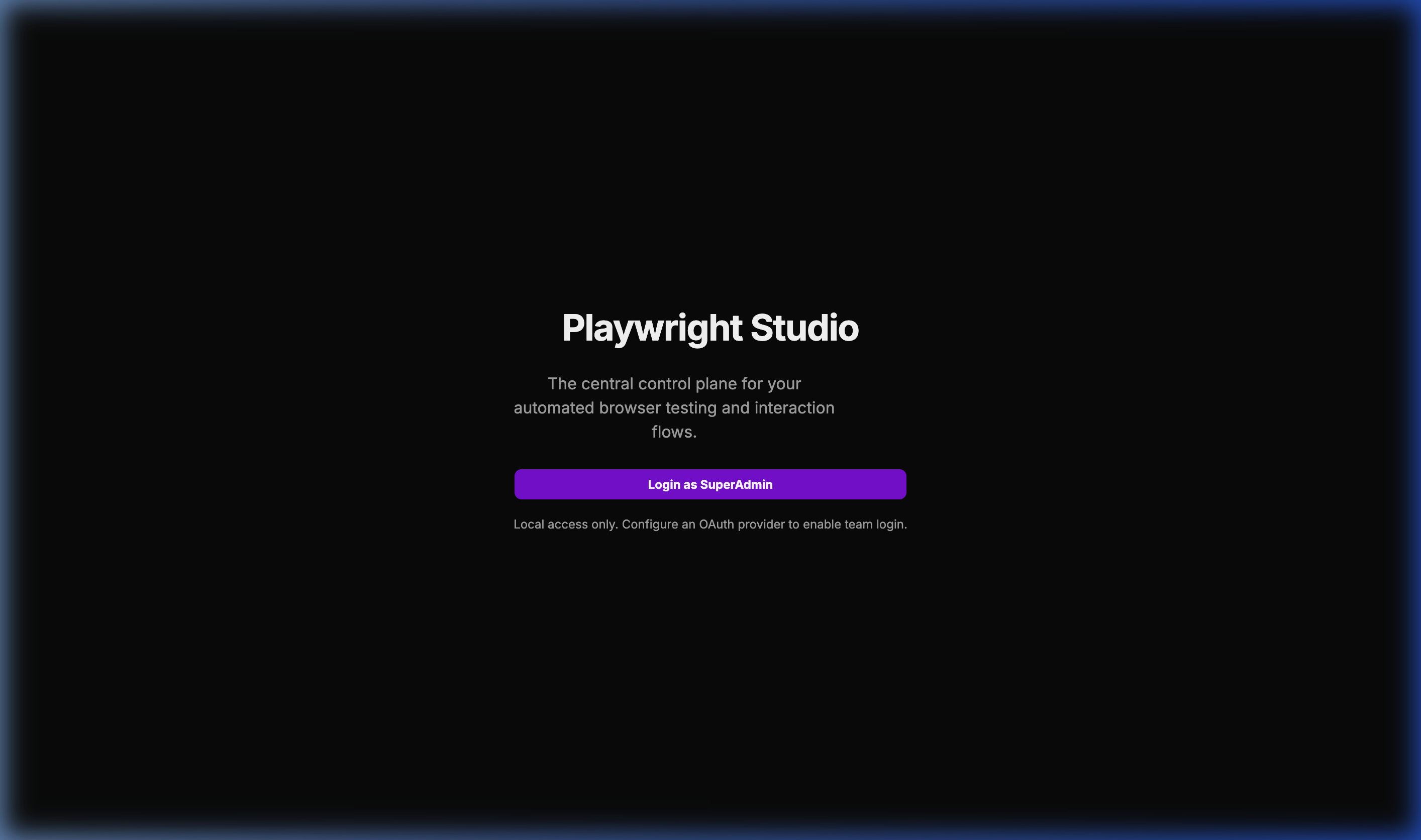
Login Page

πŸ“‚ Project Workspace

A bird’s-eye view of all your integrated Playwright projects.
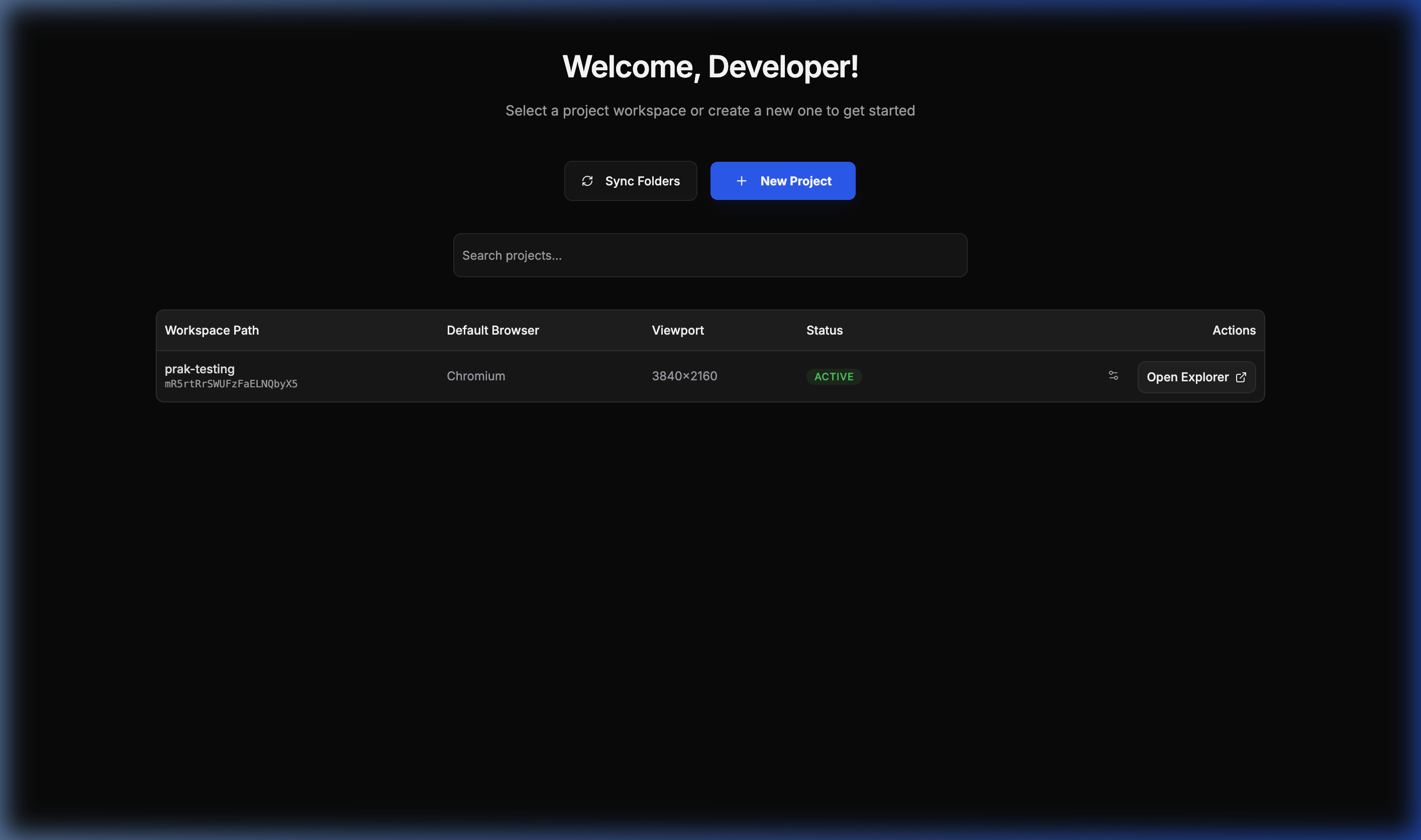
Projects List

πŸ” User Journey Explorer

The central hub for browsing and managing test specifications.
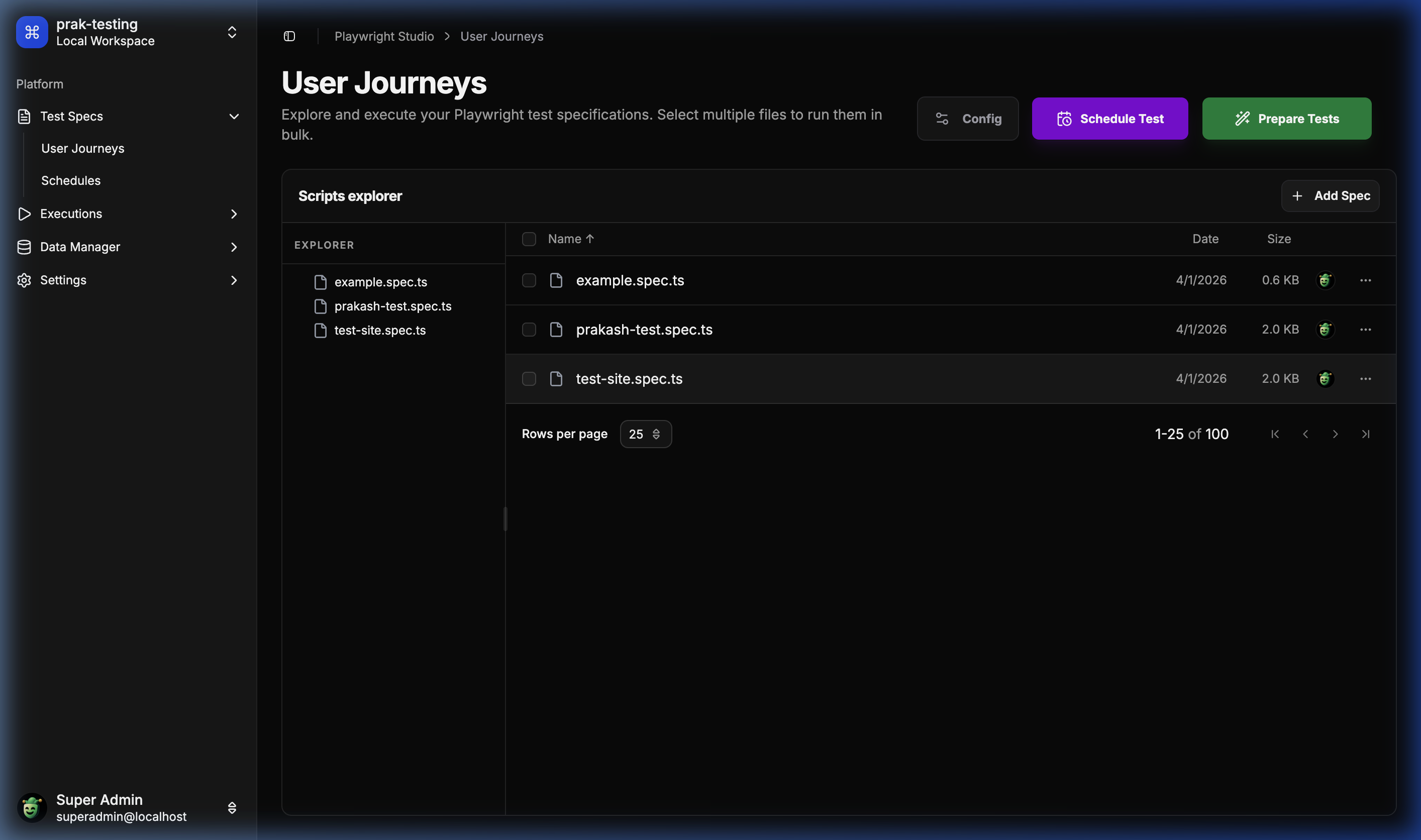
Test Specs Explorer

πŸ§ͺ Runner & Prepare

Interactive drawer for preparing and selecting tests for execution.
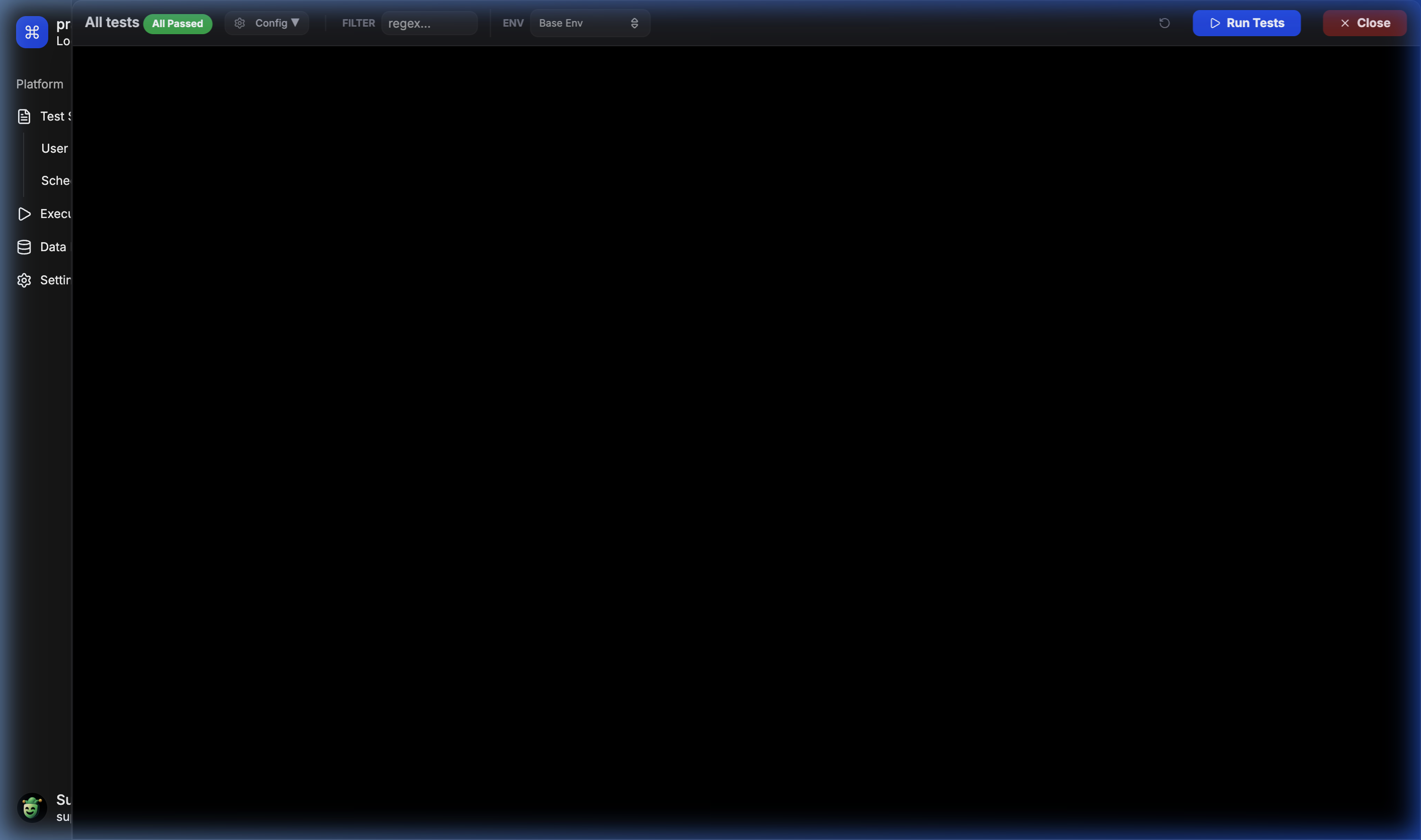
Runner Drawer

⚑ Live Execution Logs

Real-time feedback and execution logs for parallel test runs.
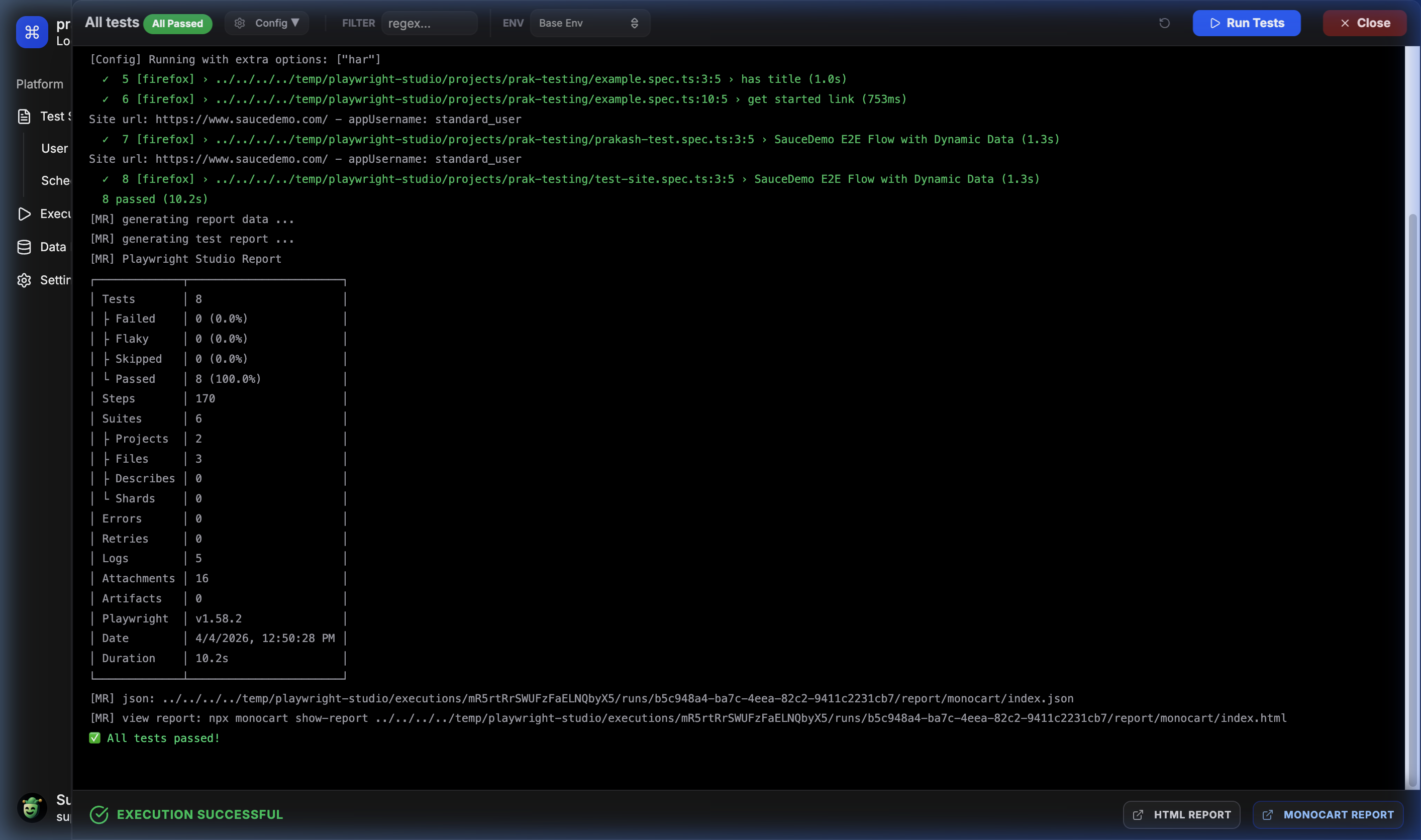
Live Execution

πŸ“… Advanced Scheduler

Easily configure recurring test runs for continuous monitoring.
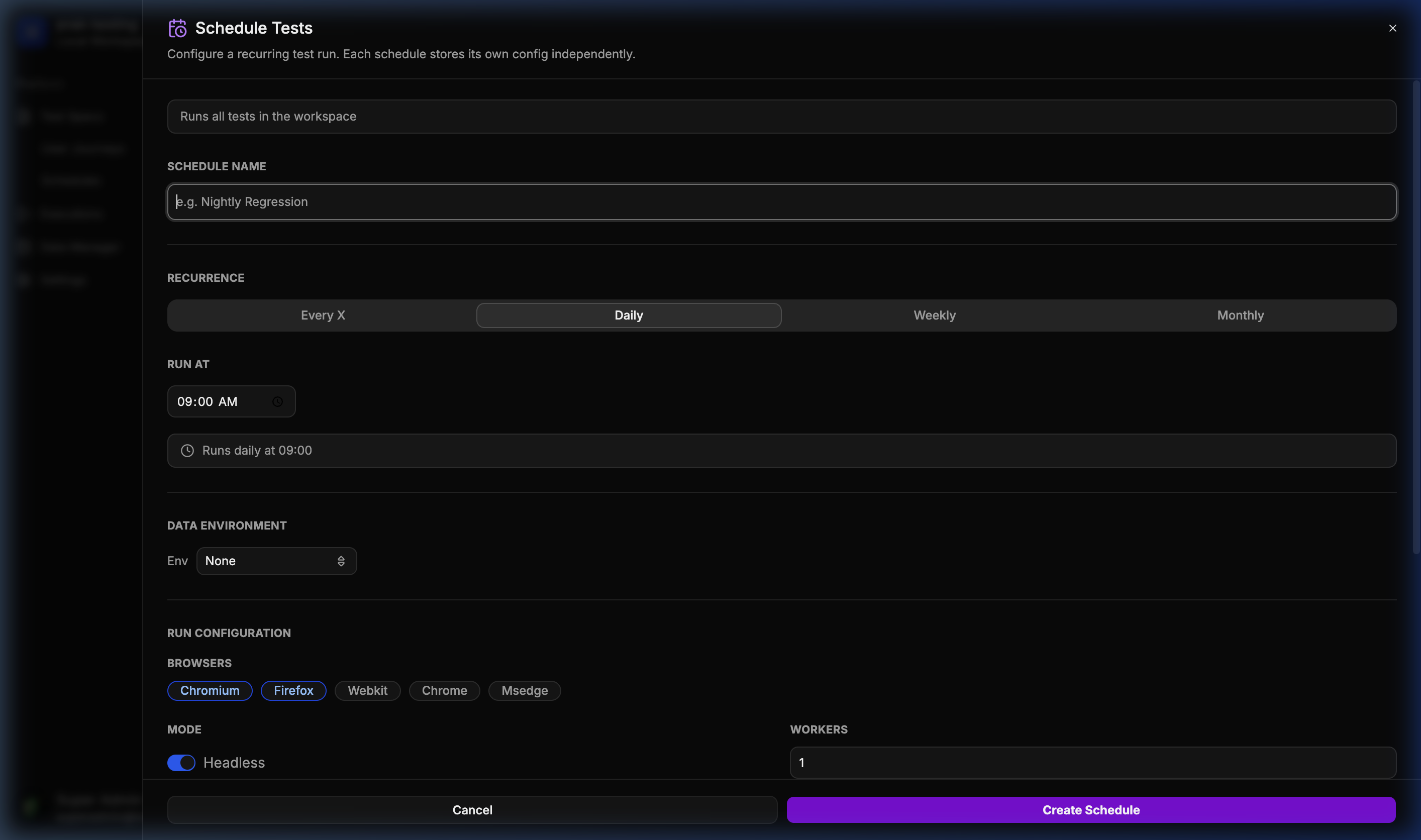
Schedule Dialog

πŸ“Š Historical Run Analytics

Complete history of every execution with direct access to HTML reports.
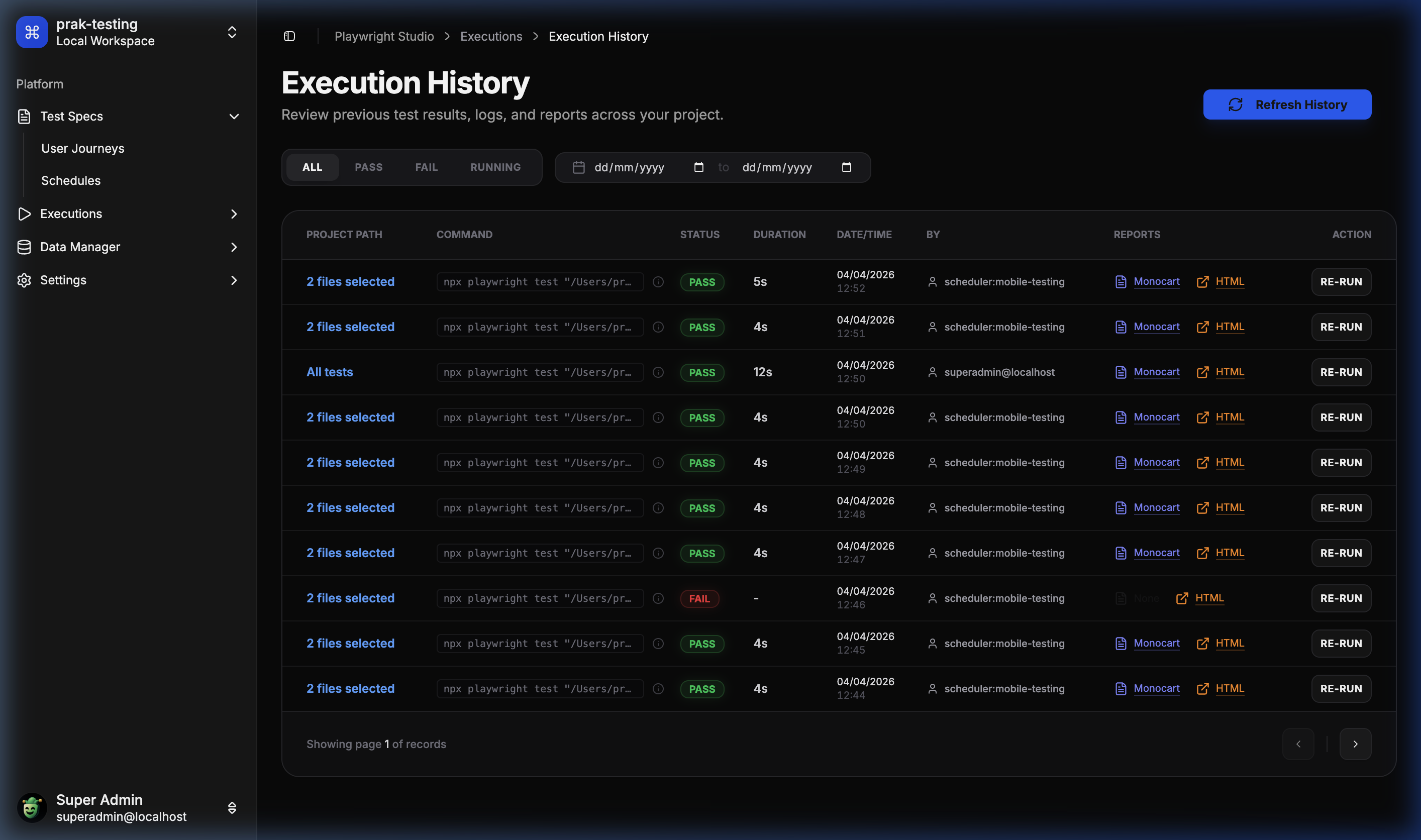
Execution History

πŸ“¦ Data Manager – Templates

Define schema-based data templates for your user journeys.
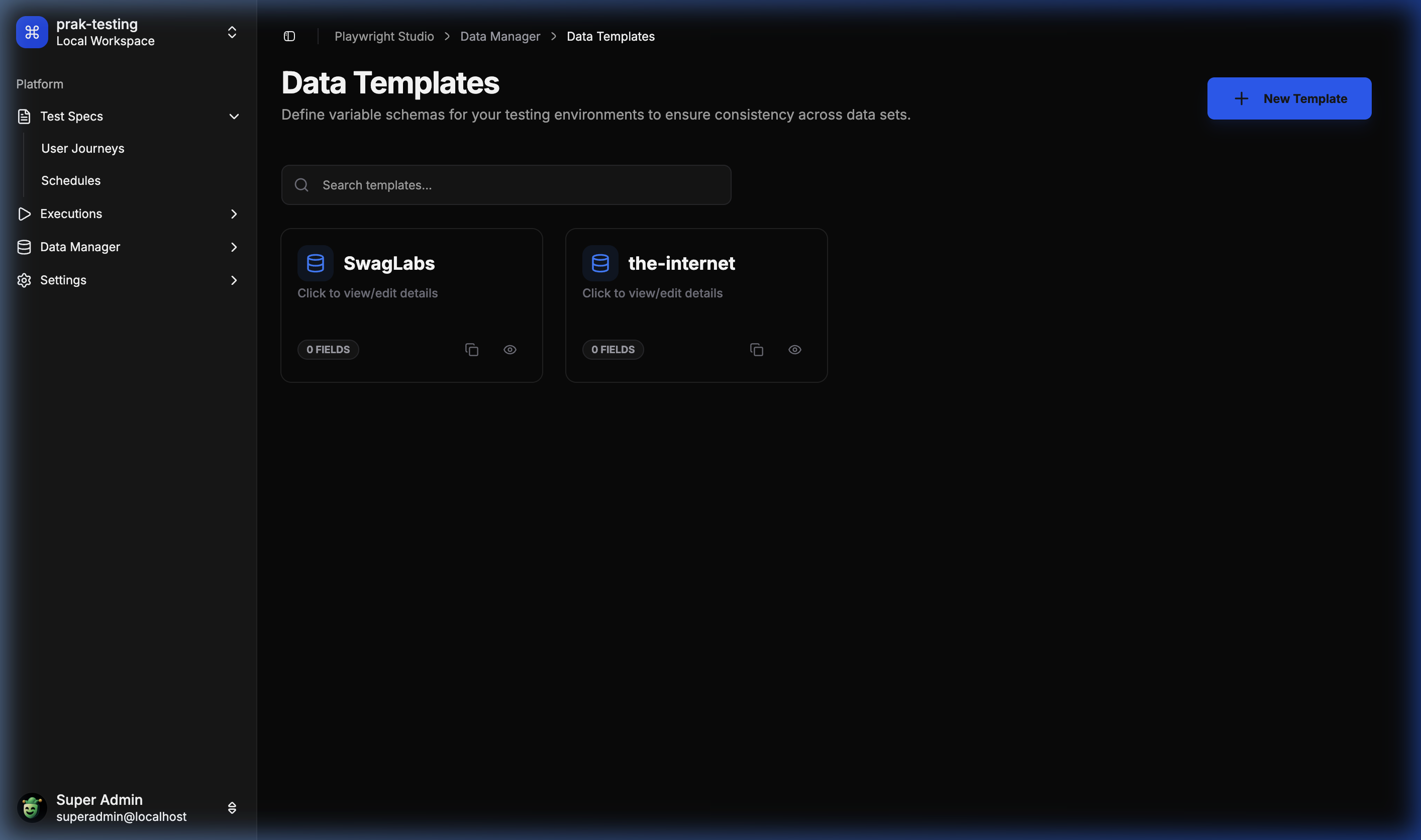
Data Templates

🌐 Environment & Datasets

Manage environment-specific data overrides effortlessly.
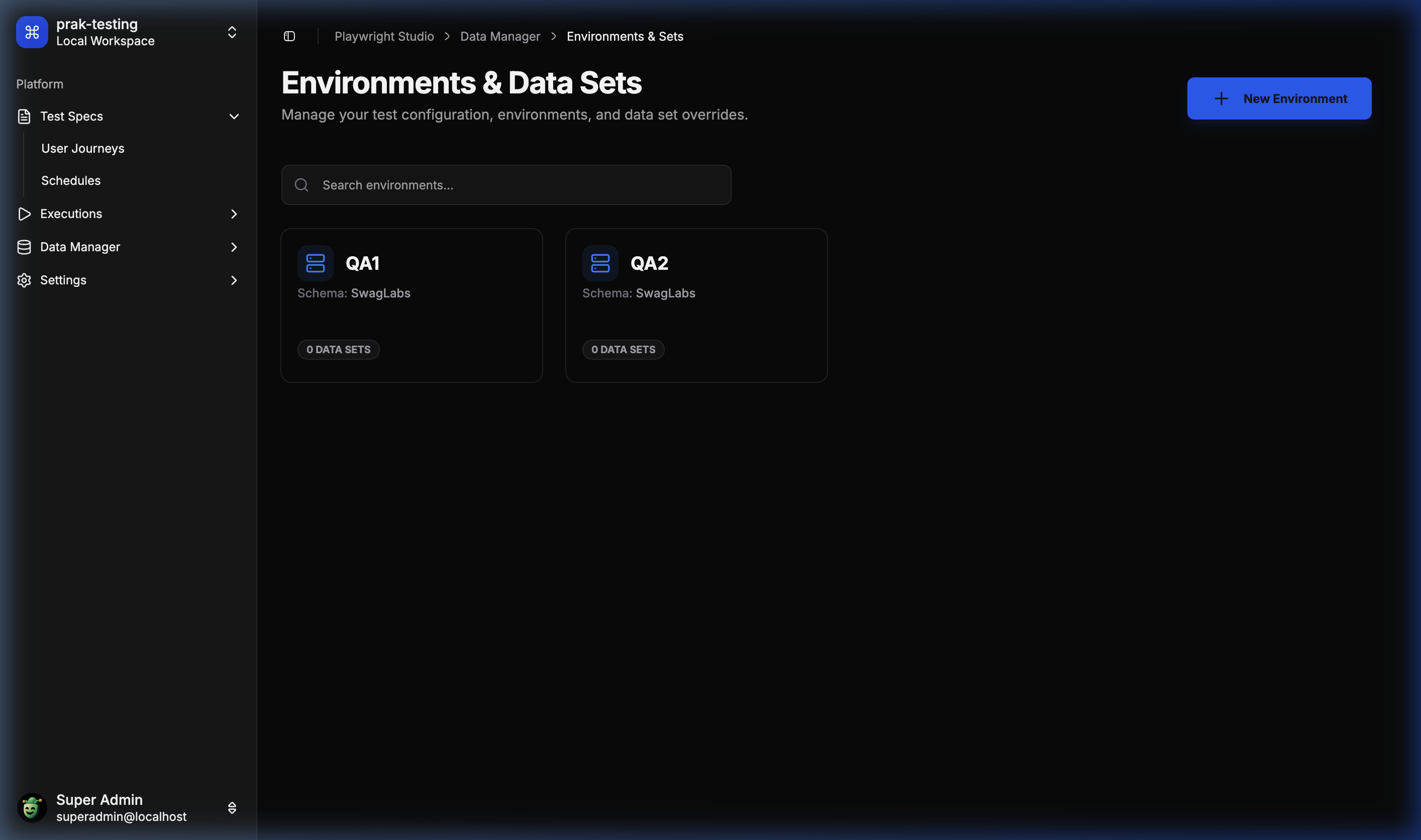
Data Environments

βš™οΈ Global Configuration

Fine-tune project-level Playwright settings from the UI.
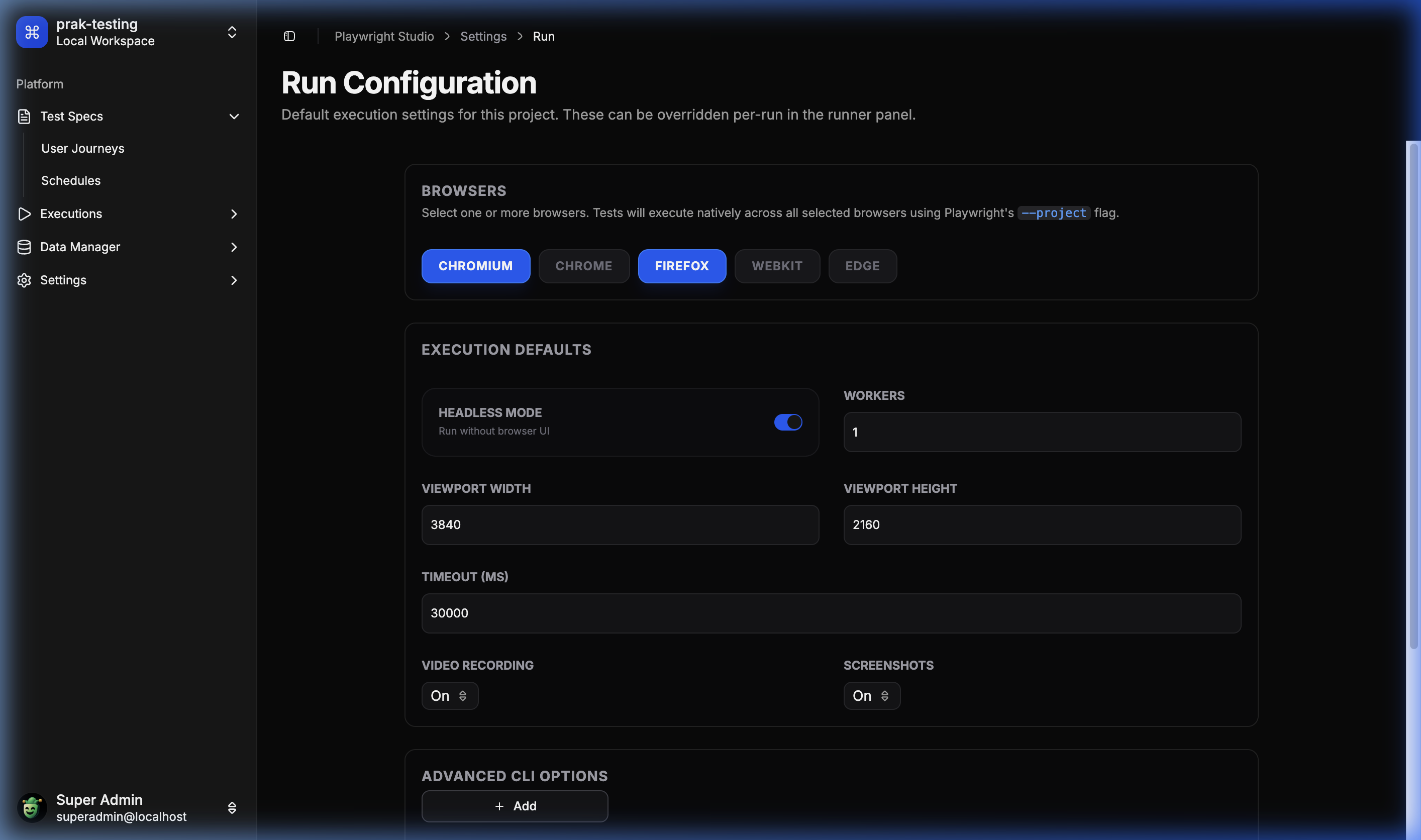
Settings Configuration


πŸ› οΈ Tech Stack

  • Frontend: React 18, Vite, Tailwind CSS, Lucide Icons, Radix UI (Shadcn), Monaco Editor.
  • Backend: Node.js, Express, TypeScript.
  • Database: SQLite (via better-sqlite3), Drizzle ORM.
  • Execution: Playwright (Core Engine).
  • Communication: WebSockets (Real-time logs) & REST API.

πŸš€ Getting Started

Quick Start with Docker

The fastest way to try ITG Playwright Studio is via Docker:

docker pull ghcr.io/itechgenie/itg-playwright-studio:latest

docker run -d \
  -p 3000:3000 \
  -v $(pwd)/data:/app/data \
  --name itg-playwright-studio \
  ghcr.io/itechgenie/itg-playwright-studio:latest

Then open http://localhost:3000 in your browser.

Note: The -v $(pwd)/data:/app/data mount persists your projects, executions, and database across container restarts.


Prerequisites

  • Node.js: v18 or later.
  • Playwright Dependencies: Ensure browsers are installed (npx playwright install).

Setup

  1. Clone the repository:

    git clone https://github.com/ITEchGenie/playwright-studio.git
    
  2. Install Dependencies:

    npm install
    
  3. Configure Environment: Create a .env file in playwright-studio/server:

    PORT=3000
    PROJECTS_BASE_PATH=D:/tmp/playwright-studio/projects
    EXECUTIONS_BASE_PATH=D:/tmp/playwright-studio/executions
    
  4. Configure OAuth (Optional): To enable Git integration and OAuth login, configure OAuth providers in your .env file:

    GitLab OAuth:

    GITLAB_CLIENT_ID=your_gitlab_client_id
    GITLAB_CLIENT_SECRET=your_gitlab_client_secret
    GITLAB_OAUTH_SCOPE="api read_user openid email profile read_repository write_repository"
    

    GitHub OAuth:

    GITHUB_CLIENT_ID=your_github_client_id
    GITHUB_CLIENT_SECRET=your_github_client_secret
    GITHUB_OAUTH_SCOPE="read:user user:email repo"
    

    Required OAuth Scopes:

    • GitLab: read_user openid email profile read_repository write_repository
      • api, read_repository and write_repository are required for Git operations (import projects, sync files, push changes)
    • GitHub: read:user user:email repo
      • repo scope is required for full repository access (read and write operations)

    Setting up OAuth Apps:

    • GitLab: Create an OAuth application at https://gitlab.com/-/profile/applications
      • Set redirect URI to: http://localhost:5173/apis/auth/callback/gitlab (adjust for production)
      • Select the required scopes listed above
    • GitHub: Create an OAuth app at https://github.com/settings/developers
      • Set authorization callback URL to: http://localhost:5173/apis/auth/callback/github (adjust for production)
      • Request the required scopes listed above
  5. Initialize Database: The server automatically applies migrations on startup, but you can manually sync the schema:

    cd playwright-studio/server
    npm run db:push
    
  6. Start Development: From the root:

    npm run dev
    

πŸ“ Project Structure

β”œβ”€β”€ playwright-studio/
β”‚   β”œβ”€β”€ client/           # React + Vite Frontend
β”‚   └── server/           # Express + Drizzle Backend
β”œβ”€β”€ itgps-agent/          # CLI Agent for local test execution
β”œβ”€β”€ playwright-studio-extension/ # Chrome Recorder Extension
└── tests/                # Core test suite

πŸ€– ITG Playwright Studio Agent (itgps-agent)

The itgps-agent is a command-line tool that bridges ITG Playwright Studio data into local Playwright workflows. It enables developers to run tests locally while leveraging Studio-managed configurations, environments, and datasets.

Features

  • πŸ” Secure Authentication β€” Connect to Studio using Personal Access Tokens (PAT)
  • 🎯 Project Management β€” Select and configure projects, environments, and datasets
  • πŸš€ Remote Test Execution β€” Trigger Studio-side test runs and stream results in real-time
  • πŸ”„ Git Synchronization β€” Instruct Studio to pull latest changes from Git repositories
  • 🎭 Playwright Integration β€” Bootstrap Studio data and run any Playwright command locally
  • πŸ’Ύ Offline Support β€” Cache Studio data for offline test execution
  • ⚑ Zero Configuration β€” Interactive setup wizard guides you through configuration

Installation

Global Installation (Recommended):

npm install -g @itechgenie/itgps-agent

Local Installation:

npm install --save-dev @itechgenie/itgps-agent

Quick Start

  1. Configure the Agent:

    itgps-agent config
    

    This interactive wizard will:

    • Prompt for your Studio URL
    • Request your Personal Access Token (PAT)
    • Let you select a project, environment, and dataset
    • Copy Playwright config to .itgps/ folder
    • Bootstrap and cache Studio data
  2. Install Playwright Browsers:

    npx playwright install
    
  3. Run Tests Locally:

    itgps-agent test
    

Available Commands

Agent Commands

  • config β€” Interactive setup wizard for authentication and project configuration
  • remote-run β€” Trigger a test run on the Studio server and stream output in real-time
  • studio-git-sync β€” Instruct Studio to pull the latest changes from Git

Playwright Commands

All native Playwright commands are supported. The agent bootstraps Studio data before execution:

itgps-agent test                    # Run tests with Studio config
itgps-agent test --headed           # Run in headed mode
itgps-agent test --grep "login"     # Run specific tests
itgps-agent show-report             # View test reports
itgps-agent codegen                 # Generate test code

How It Works

  1. Bootstrap Process:

    • Reads Studio URL and token from global config or local .env
    • Fetches project config, environment variables, and dataset variables from Studio API
    • Falls back to cached data if Studio is unreachable
    • Merges variables with local .env overrides
  2. Variable Precedence (highest to lowest):

    • Local .env overrides
    • Dataset variables
    • Environment variables
    • Project defaults
  3. Configuration:

    • Copies Playwright config to .itgps/playwright.config.cjs
    • Users can customize this config as needed
    • .itgps/ folder is automatically added to .gitignore

Example Workflow

# Initial setup
cd my-test-project
npm install -D @playwright/test
npm install -g @itechgenie/itgps-agent

# Configure connection to Studio
itgps-agent config
# βœ“ Connected to Studio
# βœ“ Selected project: "E-Commerce Tests"
# βœ“ Selected environment: "Staging"
# βœ“ Selected dataset: "Test Users"
# βœ“ Playwright config copied to .itgps/playwright.config.cjs
# βœ“ Added .itgps/ to .gitignore

# Install browsers
npx playwright install chromium

# Run tests locally with Studio data
itgps-agent test

# Trigger remote run on Studio
itgps-agent remote-run

# Sync Studio with latest Git changes
itgps-agent studio-git-sync

Configuration Files

Global Config (~/.itgps/config.json):

{
  "studioUrl": "https://studio.example.com",
  "token": "your-personal-access-token"
}

Local Environment (.env):

ITGPS_STUDIO_URL=https://studio.example.com
ITGPS_TOKEN=your-personal-access-token
ITGPS_PROJECT_ID=project-uuid
ITGPS_ENV_ID=environment-uuid
ITGPS_DATASET_ID=dataset-uuid

Playwright Config (.itgps/playwright.config.cjs):

  • Auto-generated during itgps-agent config
  • Fully customizable by users
  • Uses environment variables from Studio
  • Git-ignored by default

Language Support

The agent works with both JavaScript and TypeScript projects:

JavaScript Example:

// tests/login.spec.js
const { test, expect } = require('@playwright/test');

test('login test', async ({ page }) => {
  const username = process.env.app_username || 'default_user';
  const password = process.env.app_password || 'default_pass';
  
  await page.goto(process.env.siteurl);
  await page.fill('#username', username);
  await page.fill('#password', password);
  await page.click('#login');
  
  await expect(page).toHaveURL(/dashboard/);
});

TypeScript Example:

// tests/login.spec.ts
import { test, expect } from '@playwright/test';

test('login test', async ({ page }) => {
  const username = process.env.app_username || 'default_user';
  const password = process.env.app_password || 'default_pass';
  
  await page.goto(process.env.siteurl!);
  await page.fill('#username', username);
  await page.fill('#password', password);
  await page.click('#login');
  
  await expect(page).toHaveURL(/dashboard/);
});

Troubleshooting

Authentication Errors:

# Regenerate token in Studio Settings and reconfigure
itgps-agent config

Network Errors:

# Agent automatically uses cached data when offline
# Refresh cache when connection is restored
itgps-agent config

Missing Browsers:

# Install Playwright browsers
npx playwright install

For more details, see the itgps-agent README.


πŸ”— Git Integration

ITG Playwright Studio supports importing projects directly from GitLab or GitHub repositories, syncing files on demand, and pushing edits back with a commit message β€” all without needing a local git binary.

Tested Providers

Provider Status
GitLab βœ… Tested
GitHub πŸ§ͺ Implemented, community testing welcome

Note: Git integration has been primarily tested with GitLab. If you run into issues with GitHub or any other edge cases, please open a ticket here with steps to reproduce.

Required OAuth Scopes

GitLab β€” your OAuth app must have these scopes:

api read_api read_user openid email profile read_repository write_repository

GitHub β€” your OAuth app must have:

read:user user:email repo

Setup

Add these to your playwright-studio/server/.env:

# GitLab
GITLAB_CLIENT_ID=your_client_id
GITLAB_CLIENT_SECRET=your_client_secret

# GitHub
GITHUB_CLIENT_ID=your_client_id
GITHUB_CLIENT_SECRET=your_client_secret

Create your OAuth apps:

  • GitLab: https://gitlab.com/-/profile/applications β€” set redirect URI to http://localhost:5173/apis/auth/callback/gitlab
  • GitHub: https://github.com/settings/developers β€” set callback URL to http://localhost:5173/apis/auth/callback/github

If you re-configure scopes on an existing OAuth app, you must log out and log back in to get a new token with the updated scopes.


πŸ› Reporting Issues

Found a bug or something not working as expected? Please open an issue and include:

  • Steps to reproduce
  • Expected vs actual behaviour
  • Browser and OS
  • Any relevant server/console logs

πŸ“œ License

This project is licensed under the MIT License. See LICENSE for details.

Open Source: A Friendly Guide for New Developers

This article is written for first-time developers β€” a friendly, practical introduction to help you understand open source and take your first steps.

Open source powers much of the software you use every day β€” from operating systems and developer tools to the websites and services you depend on. If you’re a new or first-time developer, open source is an incredible way to learn, contribute, and make real-world impact. This short guide explains what open source is, how it differs from other models, why it matters, and how you can get started.

What is Open Source?

Open source means the source code of a project is publicly available for anyone to view, modify, and distribute. This encourages transparency, peer review, and collaboration. While the code is open, projects still use licenses that define what others can do with the code.

Open Source vs Free Software vs Commercial

Before we compare them, here’s why the distinction matters: different projects have different goals and rules. Some focus on making code easy to reuse and build on, others focus on protecting users’ freedoms, and some are designed mainly to make money. That changes what you are allowed to do with the code and how the project is run.

In simple words:

  • Open source: you can see and usually modify the code β€” specific rights depend on the license.
  • Free software: strong emphasis on the user’s freedom to run, study, change, and share the software.
  • Commercial software: typically built to generate revenue; it may be closed-source or restricted.
Quick comparison Open Source Free Software Commercial
Main idea Code is public and reusable User freedoms are protected Built to make money (may be closed)
What you can do Read and modify (depending on license) Run, study, modify, and redistribute Often limited unless vendor permits it
Who builds it Community contributors + companies Communities and activists for software freedom Companies and paid teams
Friendly for beginners? Yes β€” great for learning by reading real projects Yes β€” teaches important values, but legal terms matter Sometimes (paid support helps), but source may be hidden

These categories overlap β€” for example, an open source project can also be free software, and companies often offer commercial services around open source projects.

A Brief History

The culture of sharing software predates modern open source. Key milestones include:

  • 1983: The GNU Project launched to create a free Unix-like OS.
  • 1991: Linus Torvalds released the Linux kernel, sparking widespread collaboration.
  • 2000s: Distributed version control and platforms like GitHub made contributing easier and more social.

Together these developments shaped the modern open source ecosystem: collaborative, distributed, and accessible.

Life-Changing Open Source Projects

Open source has produced tools and platforms that changed how we build software β€” and many are things you already use every day. You don’t have to be a developer to benefit: many smartphones include Android components that are open source, millions of websites run on WordPress, and popular apps like VLC and Firefox are open-source projects. If you’re a developer, these projects’ code is public and you can read or contribute; if not, you can still help by reporting bugs, translating, or donating.

  • Linux β€” the backbone of servers, mobile devices (Android), and cloud infrastructure.
  • Git β€” the version control system used by millions of developers.
  • Python and Node.js β€” languages and runtimes powering huge swathes of applications.
  • Java & Android (AOSP) β€” Java is a ubiquitous language used for backend systems, Android apps, and games (Minecraft was originally written in Java); Android’s open-source components power many phones and devices.
  • WordPress & Forem (dev.to) β€” WordPress powers a large portion of the web for blogs and sites; Forem is an open platform for developer communities and publishing β€” both demonstrate community-driven publishing.
  • VS Code (OSS core) β€” the editor’s open-source core is used widely by developers; community extensions thrive on it.
  • Firefox β€” a modern web browser focused on privacy and extensibility; its codebase is open and accepts contributions.
  • VLC β€” a versatile media player that supports countless formats and is community-driven.
  • 7-Zip β€” an open-source file archiver used for compressing and extracting files.
  • qBittorrent β€” a community-maintained BitTorrent client commonly used for peer-to-peer file sharing.
  • LibreOffice and GIMP β€” open alternatives for productivity and image editing.
  • OpenGL and Vulkan β€” graphics APIs used in games and graphics applications; they power much of the visual software you interact with.
  • Kubernetes and Docker β€” changed how we build, ship, and run applications.
  • Blender β€” open-source 3D modeling and animation software used in films and design.
  • OpenStreetMap β€” volunteer-built mapping data that powers many navigation and location services.

These projects are not just technologies; they’re products you’ve likely used β€” so the question is: if you can run them, why not read or change their code? That direct connection makes open source especially inviting for first-time contributors.

Licenses and Their Nuances

Licenses determine what others can do with your code. Choosing a license depends on your goals (encourage wide adoption, preserve freedoms, or limit certain commercial usages). Common license families:

License family Examples Key points When to choose
Permissive MIT, BSD-2/3, Apache 2.0 Minimal restrictions; Apache 2.0 adds a patent grant When you want broad adoption and easy reuse, including commercial use
Copyleft GPLv3, AGPLv3 Requires derivative works to use the same license (AGPL extends to network use) When you want derivatives to remain open-source
Source-available / Custom Business Source (e.g., MariaDB BSL), commercial dual-licensing Limits certain uses (e.g., cloud providers); may not be OSI-approved When you need specific commercial protections or staged openness

For a broader list of licenses see Open Source Initiative or the SPDX license list.

Each choice has trade-offs between adoption, control, and community expectations.

How Commercial Support Adds Value

Commercial offerings around open source help organizations use projects reliably at scale. Typical commercial services include:

  • Long-term support (LTS) and enterprise builds: stable releases with extended maintenance and security patches.
  • Service-level agreements (SLAs): guaranteed response times and dedicated support for critical incidents.
  • Managed/hosted offerings: cloud-hosted versions (e.g., MongoDB Atlas, Elastic Cloud, Redis Enterprise) that remove operational overhead.
  • Integration, consulting, and training: help with architectural design, migration, and bespoke integrations.
  • Security and compliance: coordinated security advisories, backported fixes, and assistance meeting regulatory needs.

Well-known examples include Red Hat (enterprise Linux support), MongoDB (enterprise features and Atlas), Elastic (Elastic Cloud and enterprise plugins), and Redis (Redis Enterprise and hosted services). Paid support funds maintainers and organizations, improves documentation and testing, and underwrites the work that keeps widely used projects healthy.

That said, commercial models sometimes introduce trade-offs: features may be gated behind paid tiers, or licensing changes can create tension with community expectations β€” so transparent governance and clear communication are important.

When Commercialization Causes Friction

Sometimes monetization strategies trigger community pushback. Here are a few concrete cases you may have heard about:

  • Vendor licensing shifts (Java/Oracle): Oracle changed the terms and long-term support model for its Oracle JDK binaries, which led many organizations to switch to community OpenJDK builds or paid commercial distributions. The change shows how vendor licensing can push users toward community-maintained alternatives (see OpenJDK: https://openjdk.java.net/).

  • Cloud-provider tensions and re-licensing (Redis, Elastic, MongoDB): Some projects moved parts of their code to more restrictive or β€œsource-available” licenses (or SSPL-style terms) to stop cloud providers from offering managed services without sharing revenue. Those moves caused forks, ecosystem disruption, and heated debate β€” for example, Redis’ 2024 relicensing of certain modules and the later discussions about returning to a more permissive stance (see Redis announcement and coverage: https://redis.com/blog/introducing-redis-enterprise-modules/ and https://en.wikipedia.org/wiki/Server_Side_Public_License).

  • Platform policy changes (Chrome Manifest V2 β†’ V3): Platform or policy changes can also affect ecosystems. Chrome’s move from Manifest V2 to Manifest V3 changed extension APIs that many ad blockers relied on, prompting privacy and developer concerns and wider discussion about platform power (see the Chromium docs and coverage: https://developer.chrome.com/docs/extensions/mv3/ and https://www.license-token.com/wiki/ublock-origin-dead-in-chrome).

These examples show why transparent governance, clear communication, and diverse funding models matter β€” they reduce surprises and keep communities resilient when business needs change.

How Developers Can Help Sustain Open Source

You don’t need to be a core maintainer to have high impact. Ways to help:

  • Contribute small fixes: docs, tests, or tiny bug fixes labeled β€œgood first issue”.
  • Report clear bugs and include steps to reproduce.
  • Sponsor or donate to maintainers and organizations that support projects you rely on.
  • Help with triage and reviews to reduce maintainer burden.
  • Share knowledge: write blog posts, give talks, or mentor newcomers.

Together these actions make projects healthier and more sustainable.

Getting Started β€” A Simple Roadmap

A. Create your own project (learn by doing):

  1. Start small: a focused utility, library, or tool solves a real problem.
  2. Choose a license (see table above) and add a clear README.md and LICENSE file.
  3. Add CONTRIBUTING.md, issue and PR templates, and a short roadmap to guide contributors.
  4. Publish the repo (GitHub/GitLab) and announce it in relevant communities; welcome feedback.

B. Contribute to an existing project (learn from others):

  1. Pick a project you use and read its contribution guide and code of conduct.
  2. Look for labels like good first issue, help wanted, or docs.
  3. Start with documentation, tests, or small bug fixes to build context and confidence.
  4. Communicate clearly: describe your changes, link tests, and be open to reviewer feedback.

C. Be helpful, not a nuisance: small, respectful, well-explained contributions win friends. Avoid low-effort or noisy PRs and follow the project’s contribution norms β€” a good reminder is this tongue-in-cheek example: https://www.reddit.com/r/ProgrammerHumor/comments/1o0iqf6/lookingclosely/.

Open source is welcoming β€” start small and grow your impact over time.

Conclusion

Open source offers an incredible way for new developers to learn, contribute, and shape software used around the world. Start small, be consistent, and you’ll find that helping others also accelerates your own growth.

Must have Android apps for developers (Non Android developers)

The below list of apps are note rated or ordered in any ways.

1. AndroIRC – An IRC client application
2. Chrome – Mobile browser
3. Mozilla Firefox – Mobile browser
4. SSH/SFTP Server – Exposing your mobile as a SSH/SFTP server
5. AndFTP – FTP client
6. JuiceSSH – SSH client
7. aLogcat/aLogrec – Logger apps to view or save Android logs
8. Network Info II – Shows info about the phone and the current network, Bluetooth, IPv6 and Cell connection
9. kWS – Android Web Server
10. Google Analytics – Mobile client for Google Analytics
11. WordPress – Mobile client for WordPress dashboard
12. Control Panel for cPanel – Mobile client for cPanel Dashboard
13. File Expert – All in one File manager supporting Windows Samba, FTP, SFTP, FTPS, Webdev, Bluetooth OBEX client

Note: The above app list is used by me and has nothing to do with the other users.

Open Source Softwares – Top alternatives for proprietary softwares – Part 2

Β 

Part 1Β Β –Β Β Part 2Β Β 

Β 

Β 
Β  Famous Proprietary Programs Β  Open Source Alternatives Β  Download URL

Mail Servers & Mail Clients
16. Microsoft Exchange Server, IBM Lotus Domino Β  Zimbra, SoGo, Open-Exchange, OpenGroupware Β  Zimbra, SoGo, Open-Exchange, OpenGroupware
17. Microsoft Outlook Β  Evolution, SeaMonkey, Thunderbird, Eudora Β  Evolution, SeaMonkey, Thunderbird, Eduora

Multimedia, Video & Audio
18. Apple iTunes, Windows Media Player, Winamp Β  Amaroke, aTunes, SongBird Β  Amaroke, aTunes, SongBird
19. CyberLink PowerDVD and InterVideo WinDVD Β  VLC media player, Media Player Classic, MPlayer Β  VLC media player, Media Player Classic, MPlayer
20. Adobe Soundbooth, Sony Sound Forge Β  Audacity, Ardour, DarkWave Studio, EcaSound Β  Audacity, Ardour, DarkWave Studio, EcaSound

Browsers
21. Internet Explorer, Safari, Opera Β  Amaya, Mozilla Firefox, Chromium, K-Meleon, Konqueror, Mozilla, Mozilla Firefox, SeaMonkey Β  Mozilla, Mozilla Firefox, SeaMonkey, K-Melelon, Amaya, Chromium, Konqueror, Google Chrome

Networking Tools
22. Check Point VPN-1, Citrix Presentation Server Β  TightVNC, UltraVNC, OpenVPN Β  TightVNC, UltraVNC, OpenVPN
23. CommView Β  Wireshark, Snort Β  Wireshark, Snort
24. CuteFTP, FTP Commander Β  FileZilla, net2ftp, WinSCP Β  FileZilla, net2ftp, WinSCP

System Tools
25. Nero Multimedia Suit Β  DVD Flick Β  DVD Flick
26. Nero Burning ROM Β  K3B, InfraRecorder Β  K3B, InfraRecorder
27. Symantec Veritas NetBackup, Nero Back it up and burn Β  Amanda, Bacula, StorageIM Β  Amanda, Bacula, StorageIM
28. PKZip, WinRAR, WinZip Β  7-Zip, The Unachiver, WinUHA, PeaZip Β  7-Zip, The Unachiver, WinUHA, PeaZip
29. Syamntec Partion Magic, Symantec Ghost Β  Partimage, Clonezilla Β  Partimage, Clonezilla
30. VMware Server ESX Β  VirtualBOx, Cooperative Linux, OpenVZ Β  VirtualBOx, Cooperative Linux, OpenVZ
Part 1Β Β –Β Β Part 2Β Β 

Open Source Softwares – Top alternatives for proprietary softwares

Open source software is software whose source code is published and made available to the public, enabling anyone to copy, modify and redistribute the source code without paying royalties or fees. Open source code evolves through community cooperation. These communities are composed of individual programmers as well as very large companies.Β Click Here to learn more about Open Source Softwares.

The Open Source softwares get developed rapidly as the development involves developers from individual to lage companies. Thus the Open Source softwares are gaining phase and becoming a competitive products to that of the costly and proprietary softwares in the market. Here is a collection of softwares that stand as the great alternatives to the Proprietary gaints.

Β 

Part 1Β Β –Β Β Part 2Β 
Β 
Β  Famous Proprietary Programs Β  Open Source Alternatives Β  Download URL

Operating Systems
1. Microsoft Windows Operating Systems Β  Linux Distributions (Ubuntu, Fedora, Mandriva etc.), Google Chrome OS, OpenSolaris, and more. Β  Ubuntu, Fedora, Mandriva, Chrome OS
Office Suites and Tools
2. Microsoft Office Suite, Star Office Β  OpenOffice, LibreOffice, KOffice, GNOME Office, Feng Office Β  OpenOffice, LibreOffice
3. Adobe PDF Evince, Foxit Reader, Sumatra PDF Evince, Foxit Reader, Sumatra PDF
4. Mactopia NeoOffice NeoOffice
5. MathWorks MATLAB Scilab Scilab
6. Microsoft Visio Dia, ArgoUM, StarUML Dia, ArgoUM, StarUML
7. Adobe Acrobat PDFCreator, OpenOffice PDFCreator, OpenOffice
Production and Development Tools
9. Adobe Photoshop Β  Paint.Net, Gimp, GimpShop, Inkscape Β  Paint.Net, GIMP, GIMPShop, Inkscape
10. AutoCAD Archimedes Archimedes
11. Adobe Dreamweaver NVU (now KompoZer), BigFish, Amaya KompoZer, Last Official Release of NVU, BigFish, Amaya
12. Adobe Flash OpenLaszlo, Synfig Adobe Flex, OpenLaszlo, Synfig
13. UltraEdit-32, EditPlus Notepad++, SciTE, jEdit Notepad++, SciTE, jEdit
14. TruSpace,
Autodesk 3ds Max
Blender Blender
15. Microsoft Project Open Workbench Open Workbench
Β  Β  Β  Β 
Part 1Β Β –Β Β Part 2Β 

Internet Explorer 9 to let Users Block “Tracking”

The Next version of Internet Explorer will let users turn on “tracking protection”, a new mechanism that will block specified users, Microsoft says.
The IE 9 announcement came as the U.S Federal Trade commision proposed that consumers be allowed to subscribe to a “do not track” system similar to “do not call” (in short DND) list that blocks telemarketers.
In IE 9, users can turn the feature on and then choose a list of sites to block. Anyone-Including individuals, companies, and consumers-protection groups-can make lists, and users can subscribe to as many as they please. List authors can update lists; the updates will automatically push out to subscribers, as IE 9 will check for updates once a week. The features will not block Flash cookies.
Some users may be surprised by the result, however: Sites that users block for tracking them will also be prohibited from displaying certain content. Websites will be able to detect when visitors are using the list; the sites will therefore know that some page elements may be blocked for the visitors.
The new tracking protection feature is available from the Internet Explorer 9 Release candidate.

The Next version of Internet Explorer will let users turn on “tracking protection”, a new mechanism that will block specified users, Microsoft says.

The IE 9 announcement came as the U.S Federal TradeΒ commissionΒ proposed that consumers be allowed to subscribe to a “do not track” system similar to “do not call” (in short DND) list that blocks telemarketers.

In IE 9, users can turn the feature on and then choose a list of sites to block. Anyone-Including individuals, companies, and consumers-protection groups-can make lists, and users can subscribe to as many as they please. List authors can update lists; the updates will automatically push out to subscribers, as IE 9 will check for updates once a week. The features will not block Flash cookies.

Some users may be surprised by the result, however: Sites that users block for tracking them will also be prohibited from displaying certain content. Websites will be able to detect when visitors are using the list; the sites will therefore know that some page elements may be blocked for the visitors.

The new tracking protection feature is available from the Internet Explorer 9 Release candidate.